Never leave
without it again.
It detects the departure, shows what is missing, and closes with a confirmation — learning, trip after trip, what you forget.
iOS and Android · free for one place
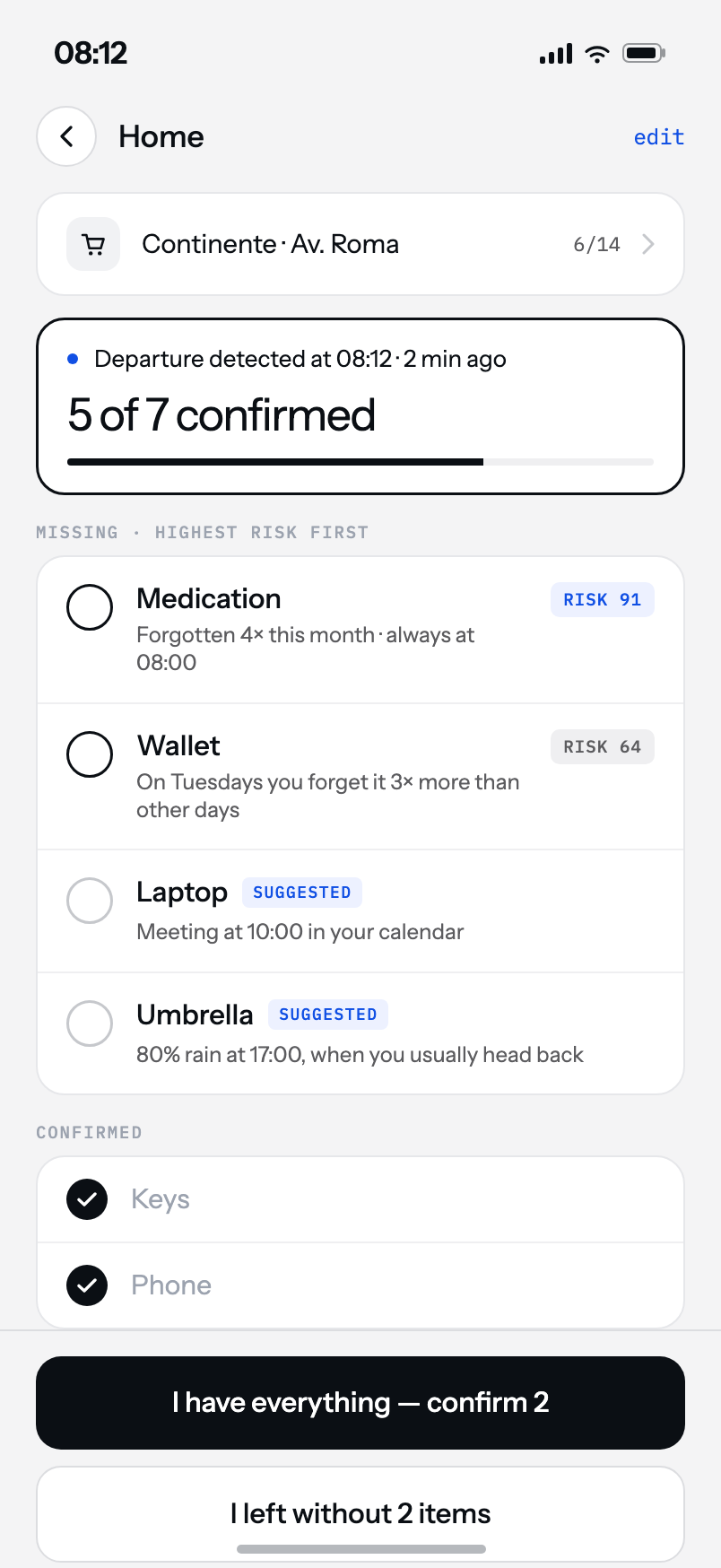
It ends in a confirmation,
not in a doubt.
A reminder says “don’t forget something”. That is no use to someone at the door with a bag in one hand. Here the list arrives already sorted and asks one question: have you got this?
It notices you left
By geofence, by the car’s Bluetooth or by Wi-Fi. With the app closed.
It shows what is missing
Highest risk first, with the reason in plain sight — not an alphabetical list.
You confirm, and it is done
The whole row is the target. One tap per item, no aiming at a checkbox.
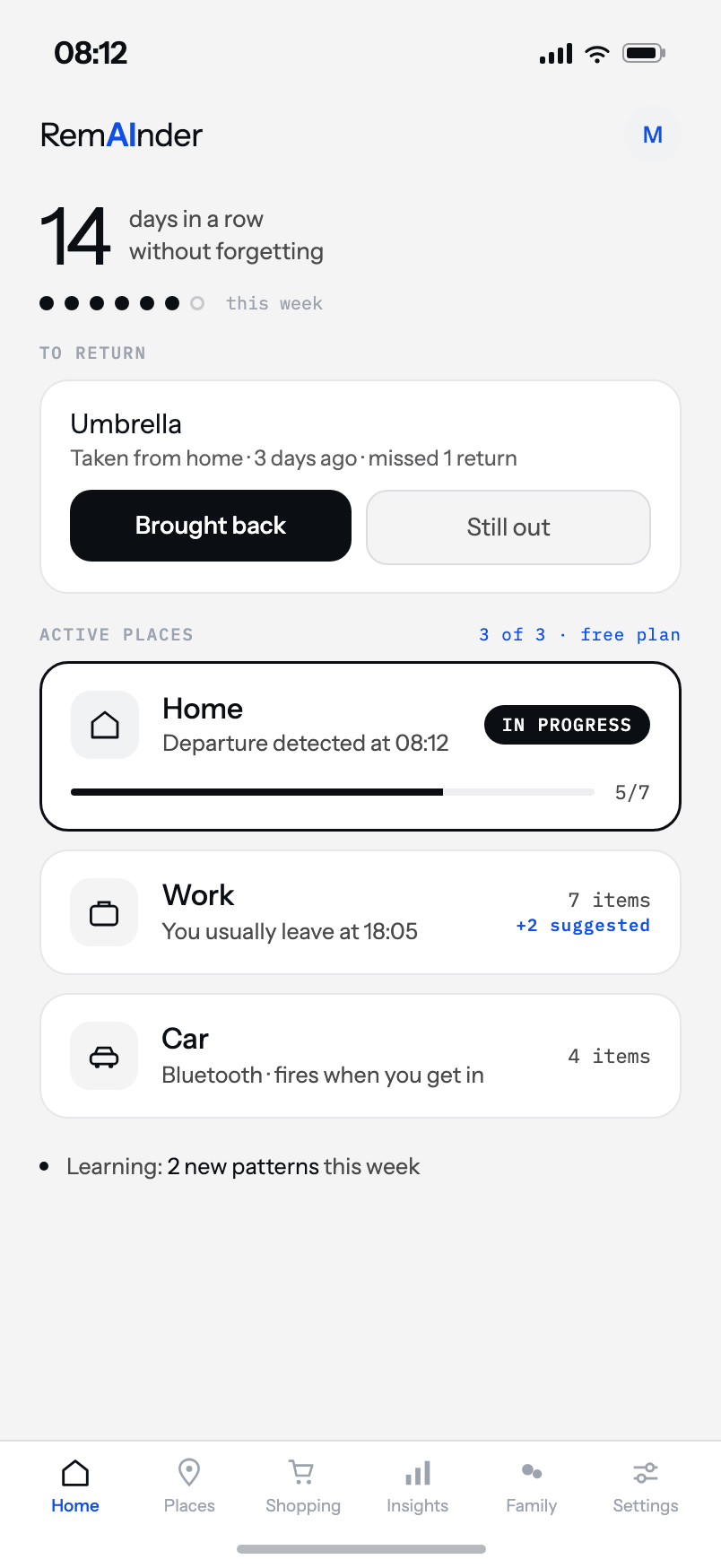
It learns what you forget.
By place, by weekday and by the time you leave. It is not a list you wrote once and never touched again — it rearranges itself from what you confirm.
“On Tuesdays you forget your wallet three times more than on other days — so it moved to the top of your Tuesday list.”
Nothing to configure
There are no rules to write. The first trip already teaches it something.
It explains itself
Every pattern comes in plain English, with its confidence next to it.
You can turn it off
If you would rather set the order yourself, it is one switch in settings.
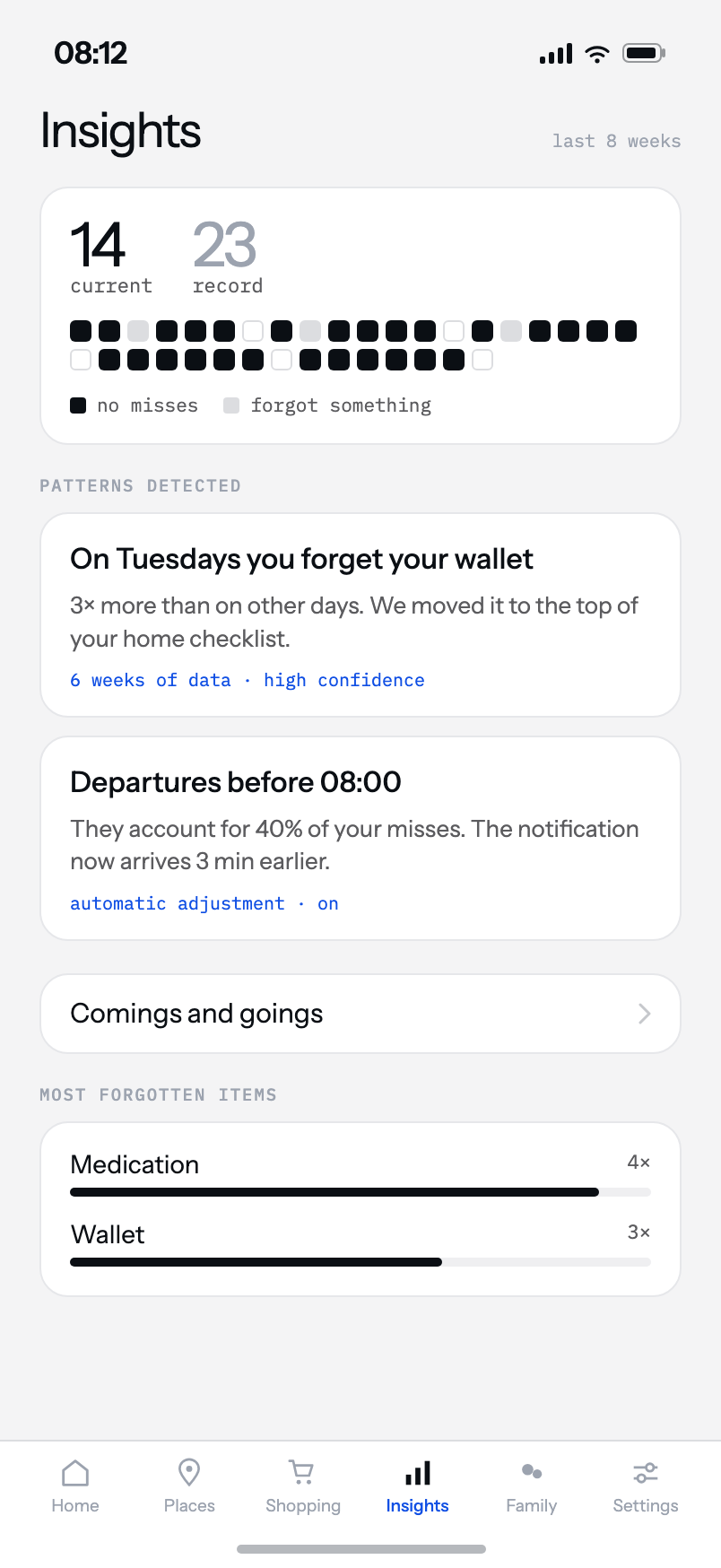
You see what it worked out
Every pattern is written out, with its confidence and the window it was observed over. Nothing is a black box: if the app reordered your list, it says why, and from how many trips.
The counter at the top is what tends to hook people — days in a row without leaving anything behind.
The reminder arrives
before you leave, not after.
A reminder at a fixed time fails anyone who does not keep fixed times. RemAInder learns what time you tend to leave on each day of the week — and on the days that vary, it speaks earlier, so it still beats you to the door.
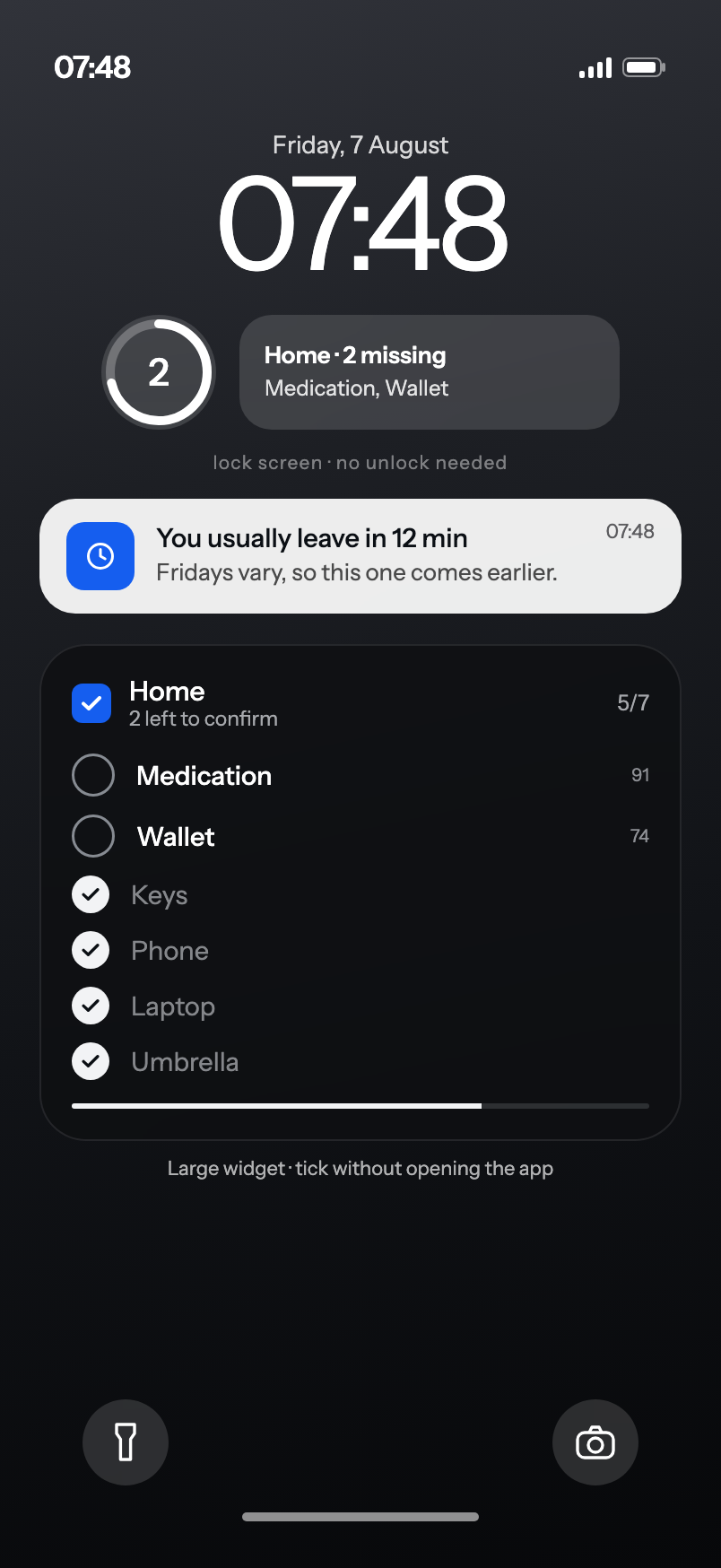
Every day gets its own hour
You leave at 08:00 on weekdays and 11:00 on Saturday. A weekly average lands on 08:50 — late every weekday and early every weekend. So each day is measured on its own.
On the days your departures scatter, the warning moves back far enough to still arrive in time. On the days you leave at the same minute, it stays put. And if you have already left, today it says nothing at all.
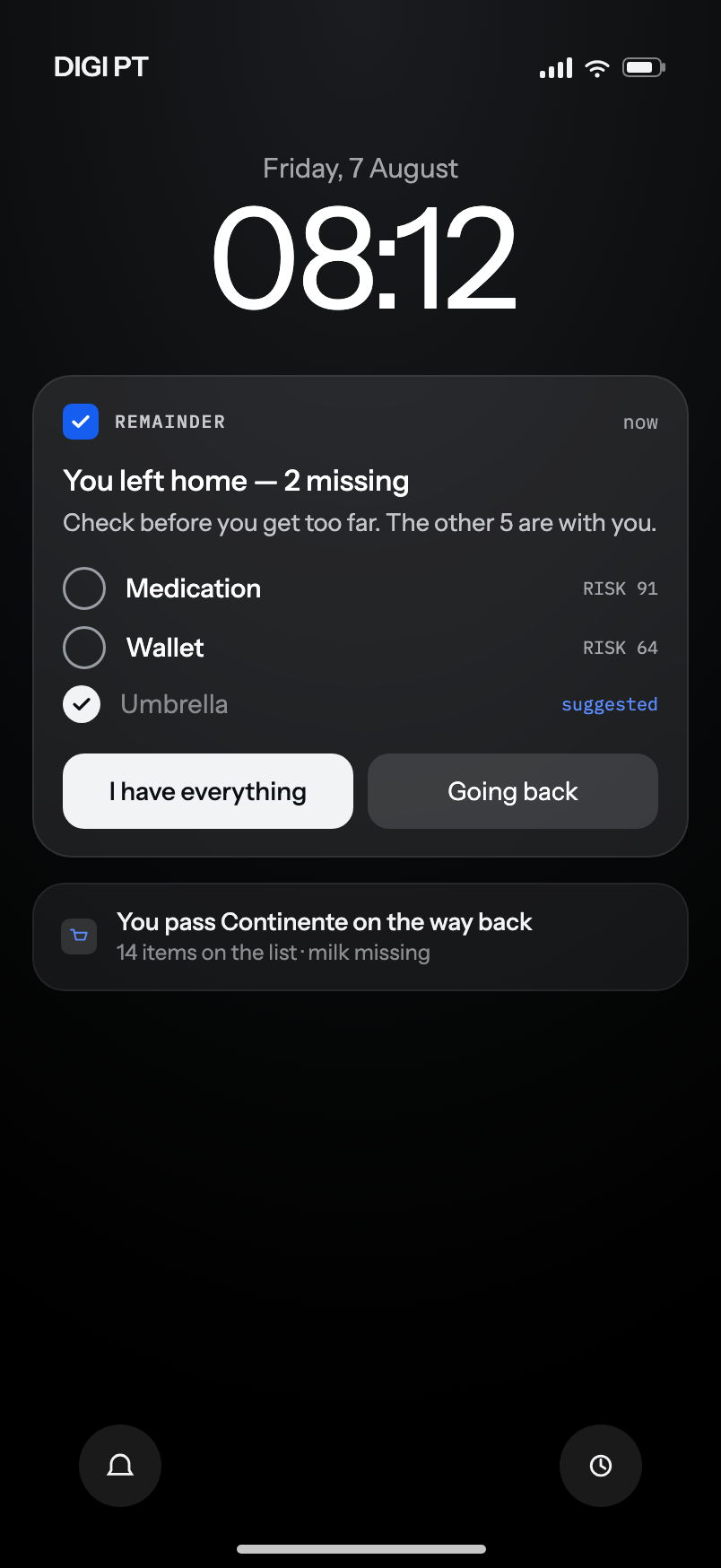
The lock screen carries the widgets too: how many are missing, and which ones, without unlocking anything.
A new place
in two taps.
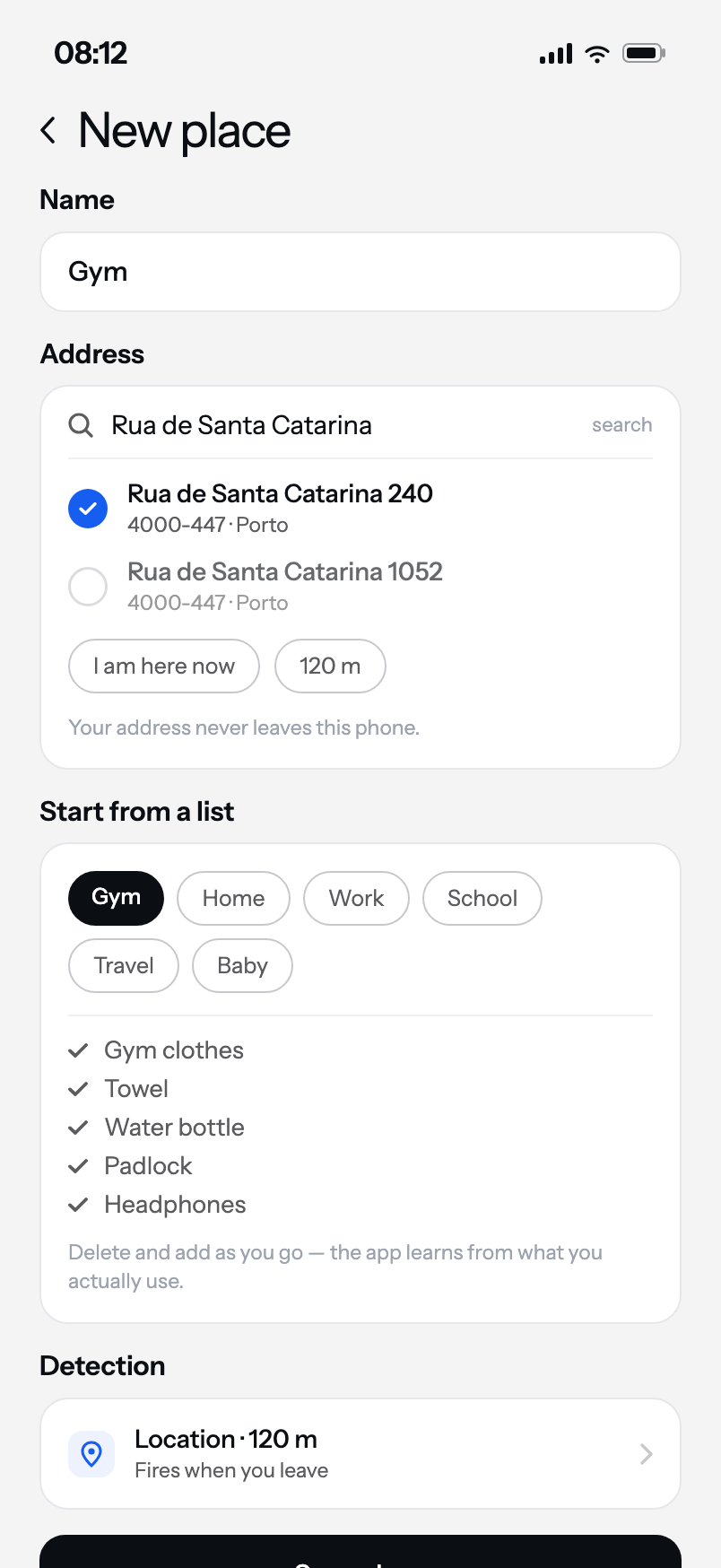
Type the address — you do not have to be standing there — and pick a list to start from. Instead of a blank week waiting for the app to learn, you get something useful on the very first departure.
By address, not by map
"Rua de Santa Catarina 240" is enough to pin the gym you joined yesterday. The search runs on the phone itself: the address never reaches our servers, and the coordinates are stored encrypted alongside the others.
If you happen to be there already, there is still a button for that.
Six lists to start from
Home, Work, Gym, School, Travel and Baby. They are not meant to be right — they are meant to be deletable. Five plausible rows beat an empty screen, and the app corrects the rest on its own over the first few weeks.
Without even opening the app.
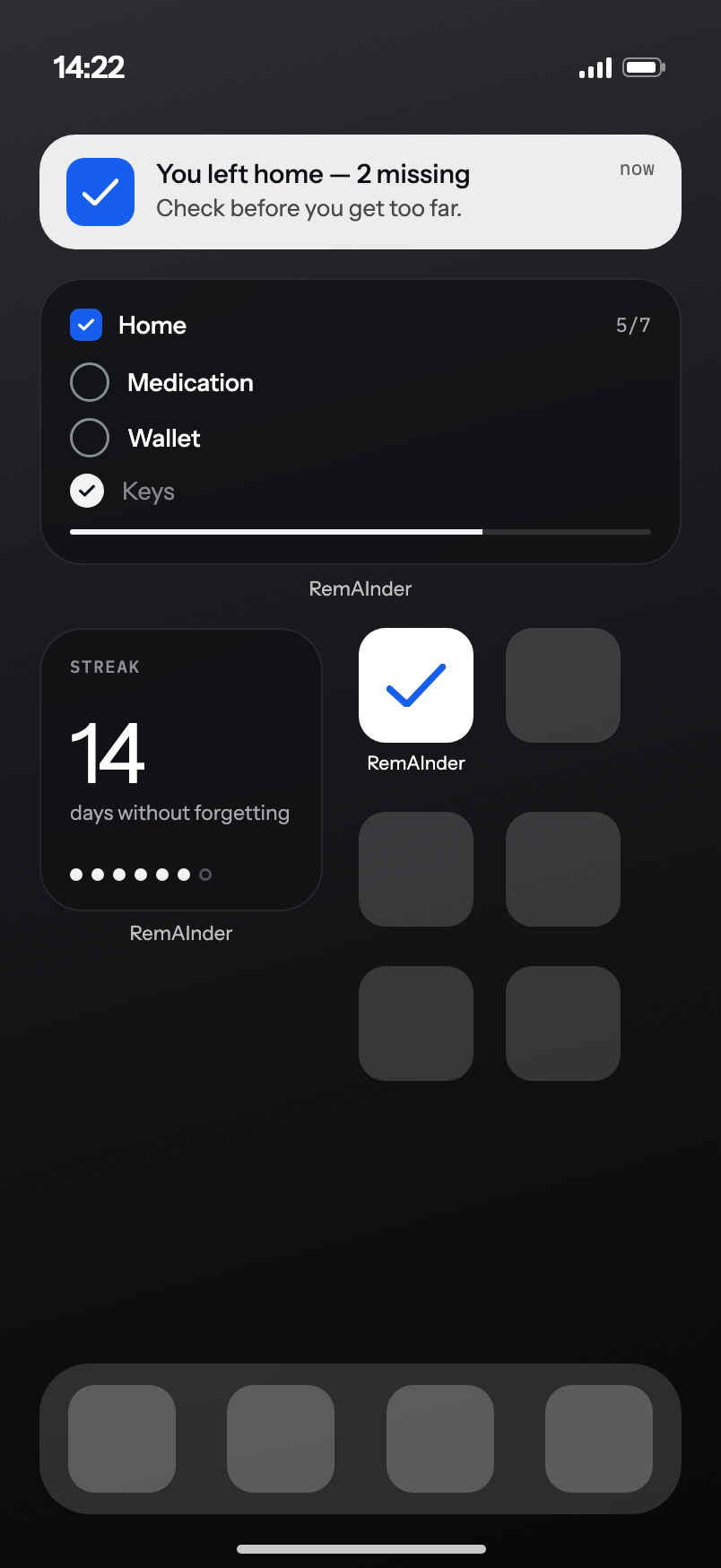
Widget on the home screen, checklist on the lock screen. You confirm where you are already looking — often without unlocking the phone.
Widget
The missing items, with the checkboxes working without opening the app.
Lock screen
While the trip is running it sits in the Dynamic Island too.
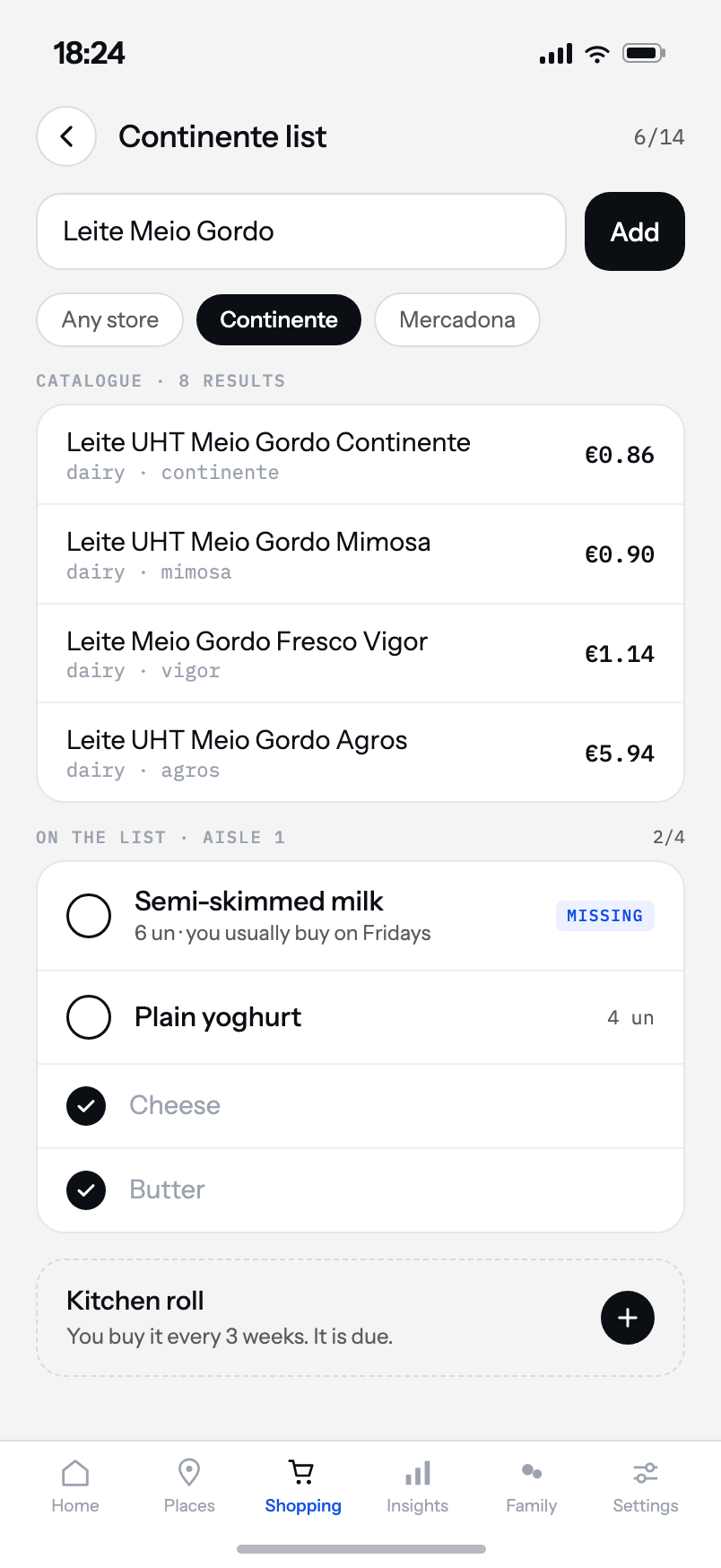
Shopping by aisle
The list in store order, with catalogue search and real prices.
The whole household, in sync.
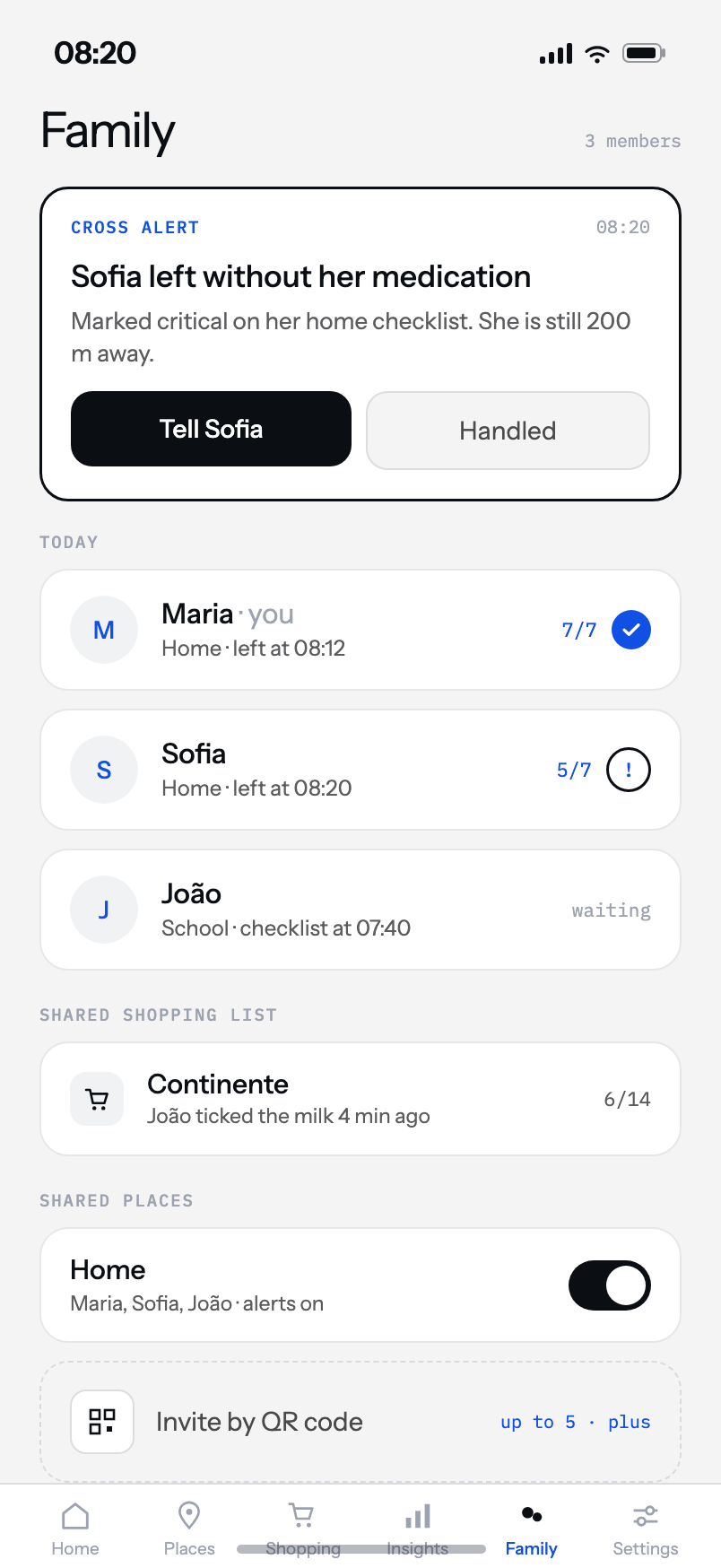
Up to five people share places and lists. When someone leaves without something marked critical, whoever is still home hears about it in time to do something.
Cross alerts
“Sofia left without her medication — she is 300 m away and there is still time.” The alert reaches whoever can act, not whoever is already far, and closes when someone handles it.
You join by QR code. Nothing is public and there are no profiles: it is a closed group between people who already live together.
Your addresses stay
on this phone.
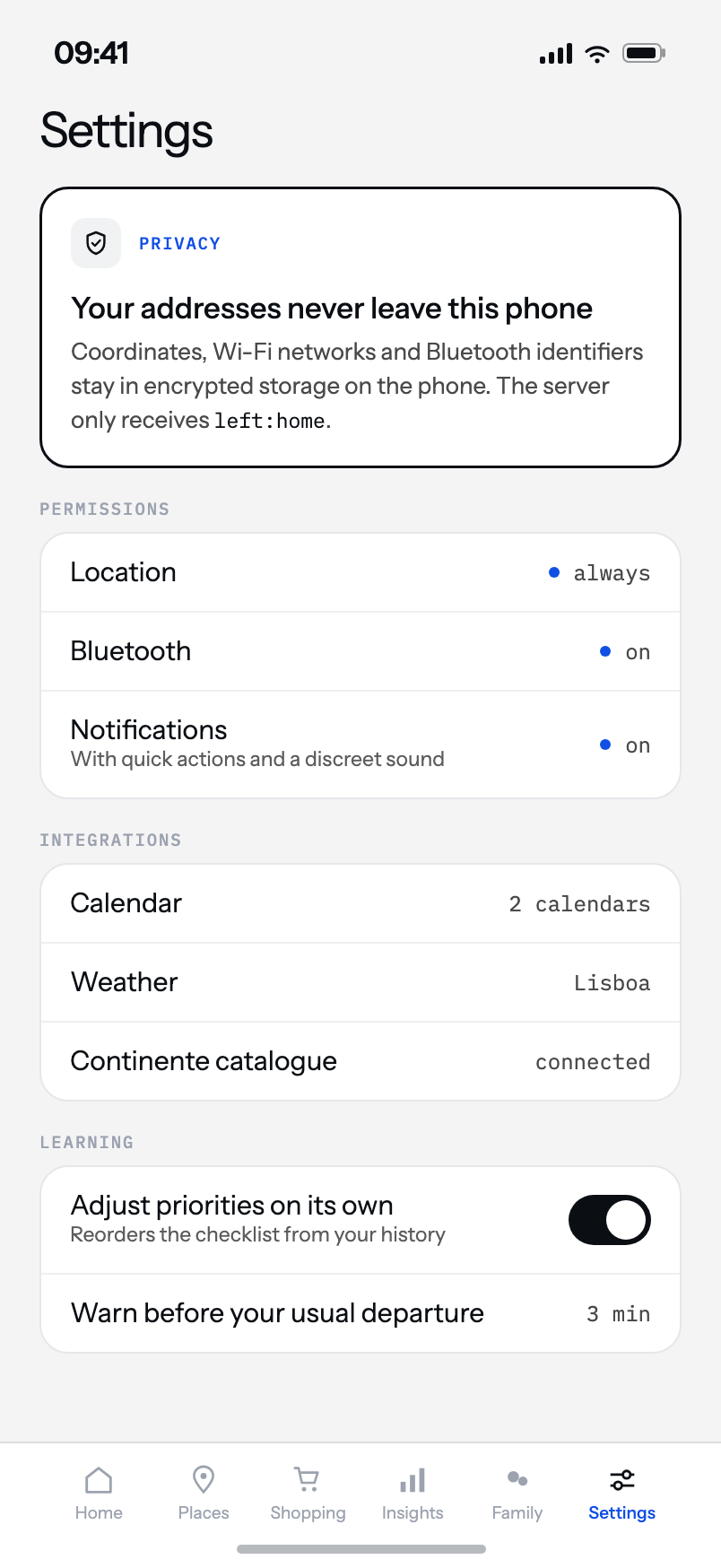
The app needs to know when you left, not where the place is. Detection happens entirely on the device. One signal goes to our servers, and this is it:
left:home · 08:14
No coordinates
No addresses, no radii, no route history. None of it leaves the phone.
Calendar read on device
Read locally. All that leaves is whether the day has meetings, and when the first one is.
Delete it whenever
The learning history and the whole account, both from inside the app.
Every screen.
The app has six tabs and none of them needs explaining. This is all of it — no hidden menus, no settings you have to find before it works.
Simple.
The free tier is complete where it matters. Plus removes the ads and unlocks the places.
- One place
- All of the learning
- Widget and lock screen
- Shopping lists
- With ads — never during a trip
- Unlimited places
- Family sharing up to 5 people
- Cross alerts on critical items
- No ads
- Or €2.49/month
7 days free. Cancel in the App Store or Google Play whenever you like.
Try it the next time
you head out.
Add your home, leave once, and from there the list starts sorting itself out.
Coming soon to the App Store and Google Play.